01
One registry for every MCP
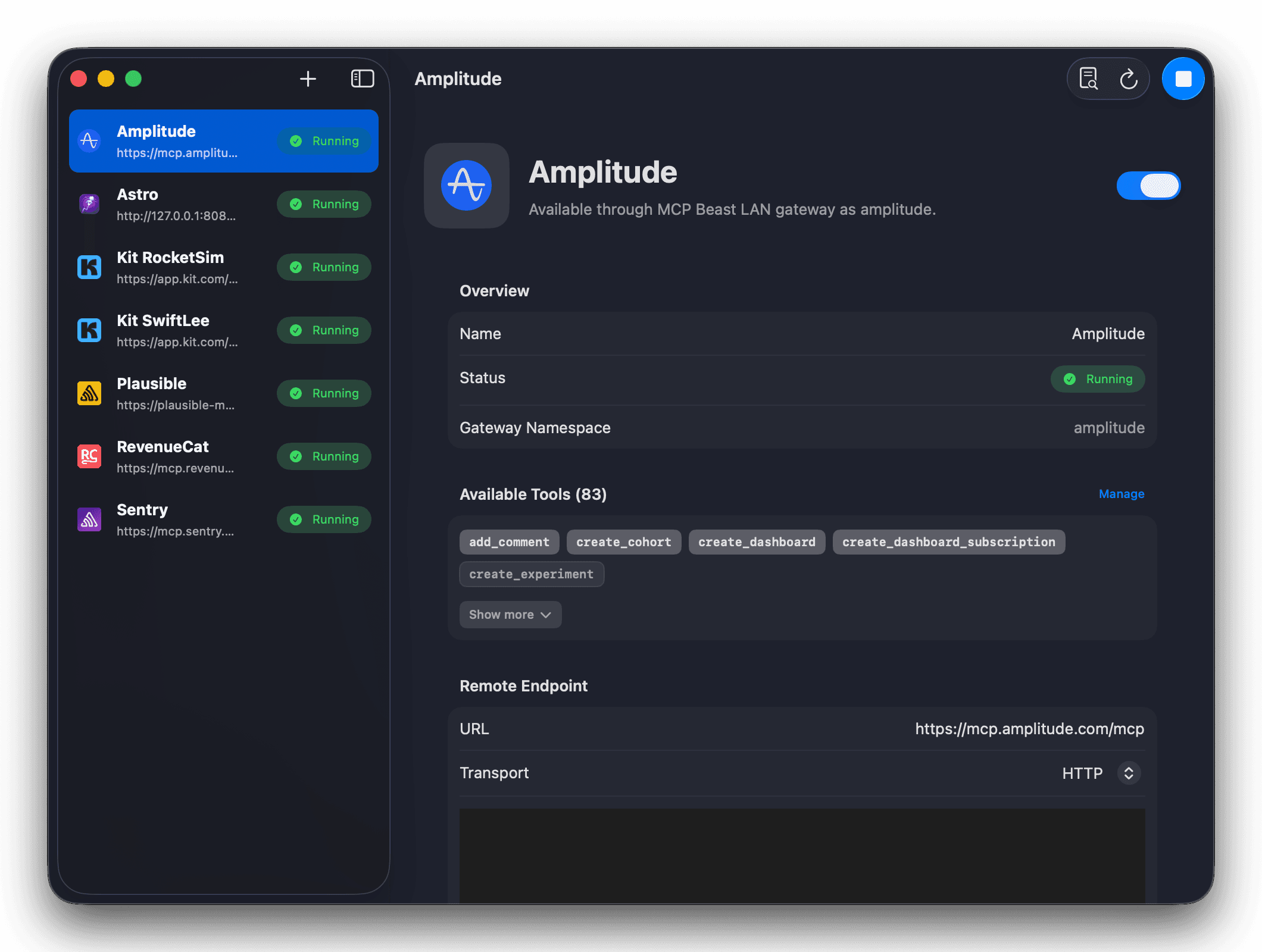
Add local commands and remote MCP endpoints once, then keep status, auth, namespaces, icons, and discovered tools in one place.
Add your MCP servers once. MCP Beast gives Cursor, Claude, Codex, ChatGPT, and future AI apps one local registry that keeps tool discovery focused, secrets protected, and downstream calls efficient.
Available on the Mac App Store. macOS 26 or later. Private by default.
How it works
Instead of configuring the same servers across every AI app, MCP Beast becomes the endpoint your clients talk to while it manages downstream MCP discovery, auth, routing, retries, and result shaping.
Download MCP Beast from the Mac App Store.
Copy your local MCP Beast URL.
Paste it into Cursor, Claude, Codex, or another MCP client.
Add downstream MCP servers inside MCP Beast and route calls through one stable endpoint.
Why it matters
Add local commands and remote MCP endpoints once, then keep status, auth, namespaces, icons, and discovered tools in one place.
Clients see MCP Beast's compact dispatcher first, then search, describe, and call only the downstream tools that matter.
Read/write safety hints, compact result shaping, and rate-limit backoff help agents avoid noisy calls and accidental mutations.
Connect authenticated MCPs from the Mac app, including registered-client OAuth providers, while keeping secrets in macOS Keychain.
Use explicit namespaces for work, personal, staging, or customer MCPs so agents can route to the right account.
Diagnostics reports redact secrets, runtime state is easier to inspect, and the menu bar keeps common actions close.
Tool management
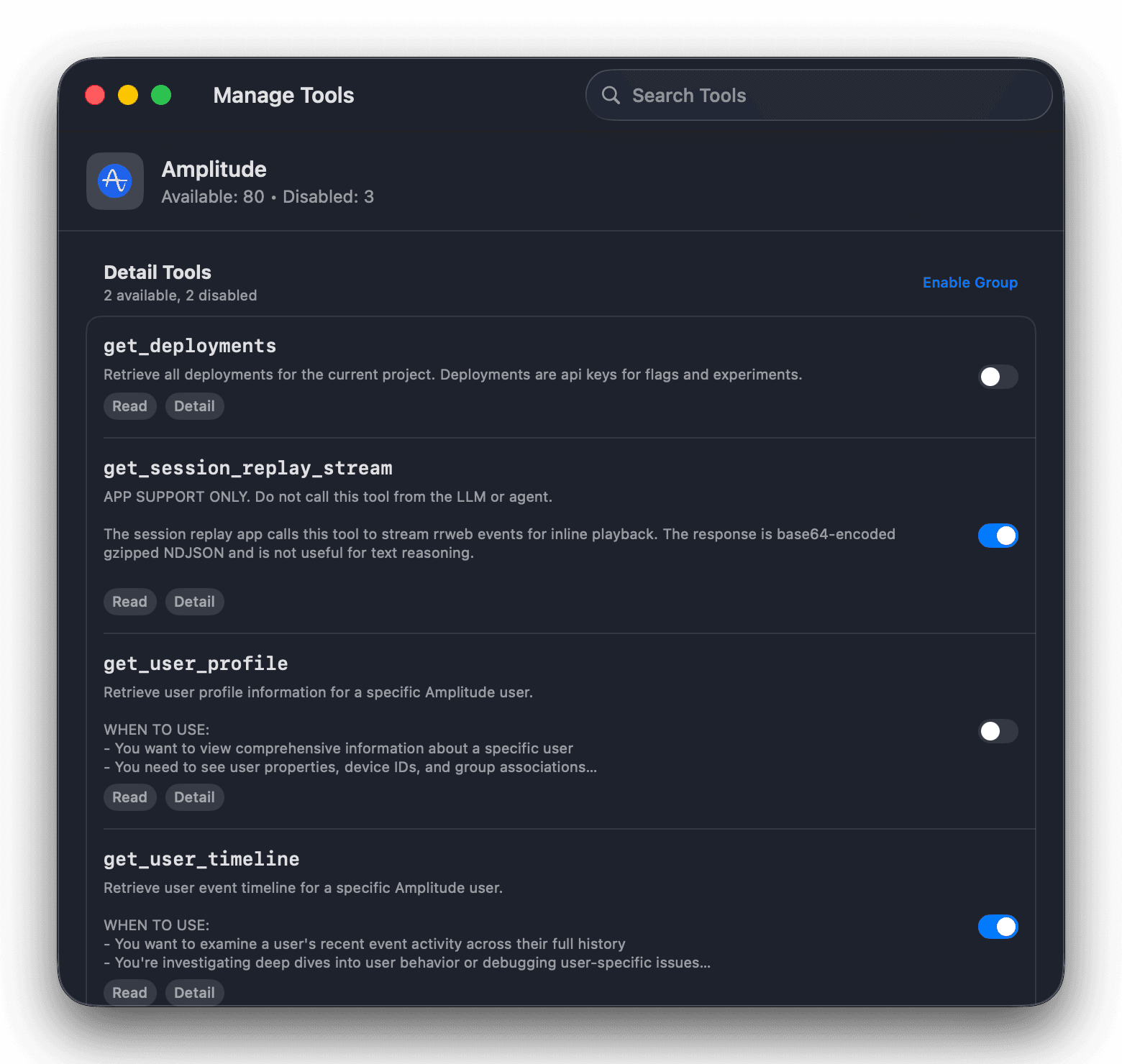
A single MCP can expose dozens of tools. Search across them, disable the noisy or risky ones individually, or switch off an entire group in one tap — so each AI client only sees the tools you trust.
Authentication
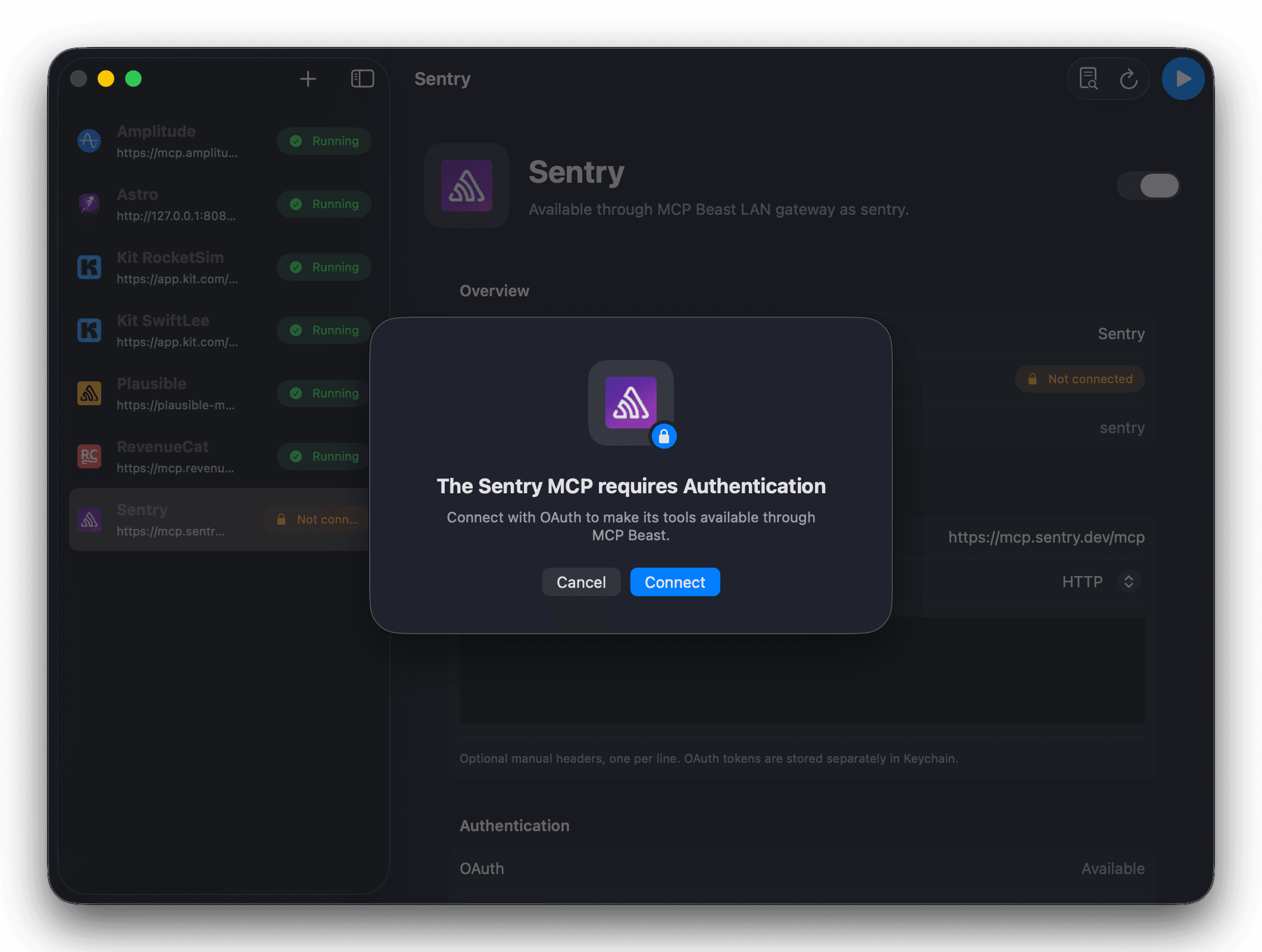
Add remote endpoints, local commands, headers, and OAuth-backed servers from one Mac app. MCP Beast stores sensitive headers, local environment variables, OAuth tokens, gateway tokens, and Remote Access tokens with Keychain-backed protection and masked diagnostics.
Built for real MCP setups
MCP Beast is more than a pass-through proxy. It keeps a cached catalog of configured MCPs, exposes a small dispatcher to clients, and helps agents narrow requests before spending context on full schemas or large results.
Compact search and describe flows reduce schema noise before a tool is called.
Read/write routing hints help agents choose safe tools for read-only tasks.
Rate-limit and timeout handling avoids hammering downstream MCPs when they ask for time.
Diagnostics reports redact secrets so support requests are easier and safer to share.
Menu bar shortcuts keep opening the app, Settings, copying the gateway URL, and reporting issues one click away.
MCP Beast Pro
Remote Access lets ChatGPT, Claude web/mobile, and cloud agents reach MCP Beast through a secure outbound relay while your local gateway stays private.
Private by default
Local first. Relay only when enabled.
Local endpoint: localhost:7331/mcp
Remote endpoint: mac.mcp-beast.ai
Auth: bearer tokens you can regenerate or disable.
FAQ
No. MCP Beast is designed as a local registry and router. It can expose a compact dispatcher surface so agents can search, describe, and call the right downstream tool only when needed.
Local mode stays on your Mac. LAN access is opt-in and protected by a bearer token. Remote Access is a Pro feature that uses an outbound relay when you explicitly enable it.
Any MCP client that supports a custom MCP server URL can connect to MCP Beast. The app is built around Cursor, Claude, Codex, ChatGPT, and future MCP-capable clients.
Many MCP clients load every tool schema from every configured server. MCP Beast exposes a compact dispatcher first, lets agents search for relevant tools, and reveals full schemas or larger results only when needed.
Yes. Give each downstream MCP an explicit namespace, such as a work and personal account, and MCP Beast will route calls through that stable name.
MCP Beast is designed to keep cached tool discovery useful, back off repeated failing requests, and return clearer diagnostics so agents know when to retry or narrow the call.