


76 → 8
Tools in your agent's context
RevenueCat, Sentry, Astro expose 76 tools. MCP Beast shows every client 8 router tools and loads the rest on demand.
For iOS & macOS developers
Connect RevenueCat, Sentry, Linear, Supabase, Astro, and the rest of your stack once. Cursor, Claude, ChatGPT, and Codex reach them all through one private gateway on your Mac. Tool tokens drop by 95%+, and your keys stay in the macOS Keychain.
Free • macOS 26 or later • Private by default
Token savings
Connect RevenueCat, Sentry, Astro directly and your agent loads 76 tool schemas before it does anything. Through MCP Beast it loads 8.
76 → 8
RevenueCat, Sentry, Astro expose 76 tools. MCP Beast shows every client 8 router tools and loads the rest on demand.
~26K–41K
Down to ~823 tokens. Each task then adds one ~308-token lookup.
13–21%
That's what three MCPs cost on their own. Add Linear, GitHub, or Supabase and it only grows.
Tool-schema tokens loaded per request
Directly connected (76 tools)
~26K–41K tokens
Through MCP Beast (8 tools)
~823 tokens
The dispatcher is not free: every task adds one use_mcp lookup of about 308 tokens. Even counting it on the first request, you still save 95% or more.
In October 2026 we queried live RevenueCat (53 tools), Sentry (9 tools), Astro (14 tools) through MCP Beast and counted tokens on the real tool schemas with the OpenAI cl100k_base tokenizer. A sample of 10 tools averaged 544 tokens (median 346). The low end of the range uses the median, the high end the mean. MCP Beast's 8 dispatcher tools total 823 tokens.
Treat the numbers as conservative: tool descriptions were truncated during sampling and Claude's tokenizer usually counts a little higher. Your results depend on which MCPs and tools you enable.
Without vs. with
Every AI tool wants its own copy of your iOS stack. MCP Beast replaces that sprawl with a single layer you connect once — then use everywhere.
Without MCP Beast
RevenueCat, Sentry & Linear re-added in every tool
The same MCP config, repeated per app and per machine.
With MCP Beast
Connect each iOS MCP once
MCP Beast is the single endpoint every AI tool talks to.
Without MCP Beast
Every server's schema floods the context
RevenueCat, Sentry, and Astro alone load 76 tool schemas (about 26K–41K tokens) before the agent does anything.
With MCP Beast
A compact dispatcher keeps context lean
8 router tools (about 823 tokens). Agents search and load only the tools they need.
Without MCP Beast
API keys pasted into every AI client
Tokens copied into Cursor, Claude, and Codex multiply the leak surface.
With MCP Beast
Keys stay in your macOS Keychain
Credentials live in the trusted layer, never inside the AI client.
Your iOS stack, one endpoint
Add the MCPs iOS developers actually use — then let any AI client call them through MCP Beast.

Pull subscription metrics and customer state.

Triage crashes and read stack traces in context.

Create, update, and close issues from your agent.

Review PRs, open issues, and read your code.

Query your backend and inspect live data.

Post updates and search team conversations.
Run App Store keyword research from the local Astro MCP.
How it works
Instead of configuring the same servers across every AI app, MCP Beast becomes the endpoint your clients talk to while it manages downstream discovery, auth, routing, and result shaping.
Download MCP Beast free from the Mac App Store.
Add RevenueCat, Sentry, Linear, Supabase, and the rest of your stack once.
Paste your single MCP Beast URL into Cursor, Claude, Codex, or ChatGPT.
Your agents reach every tool through one private endpoint — keys stay in your Keychain.
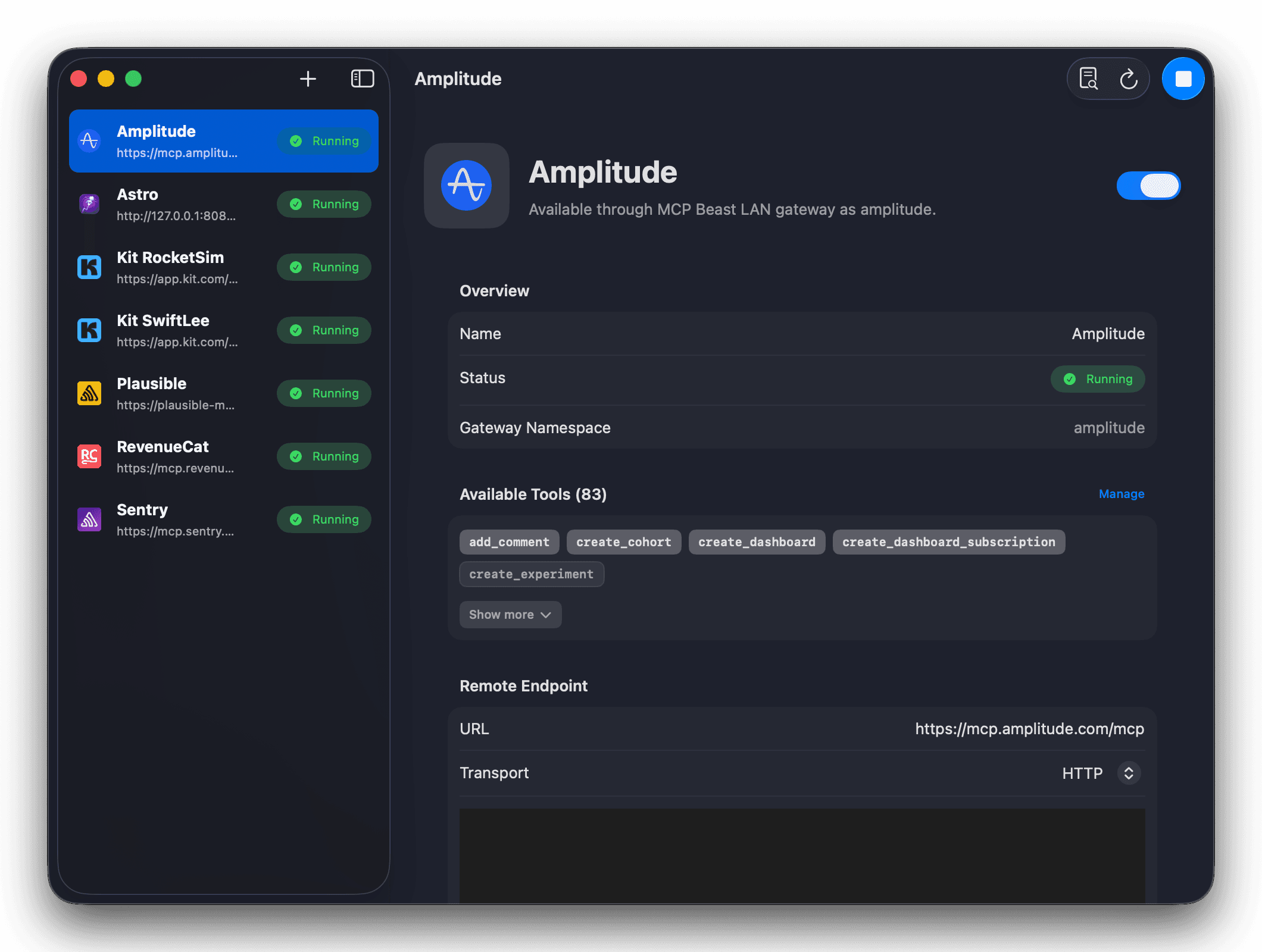
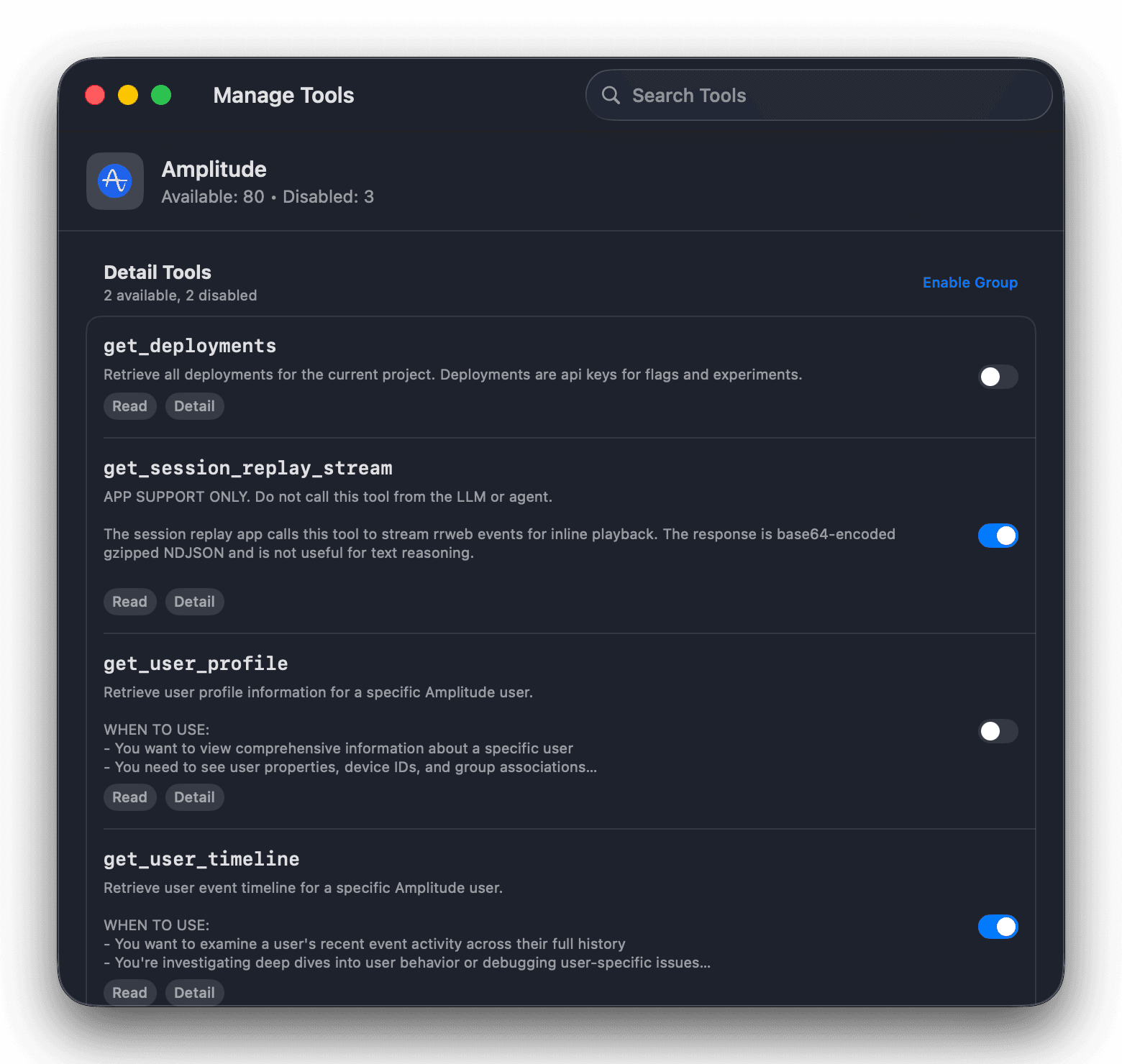
Tool management
A single MCP can expose dozens of tools. Search across them, disable the noisy or risky ones individually, or switch off an entire group in one tap — so each AI client only sees what you allow.
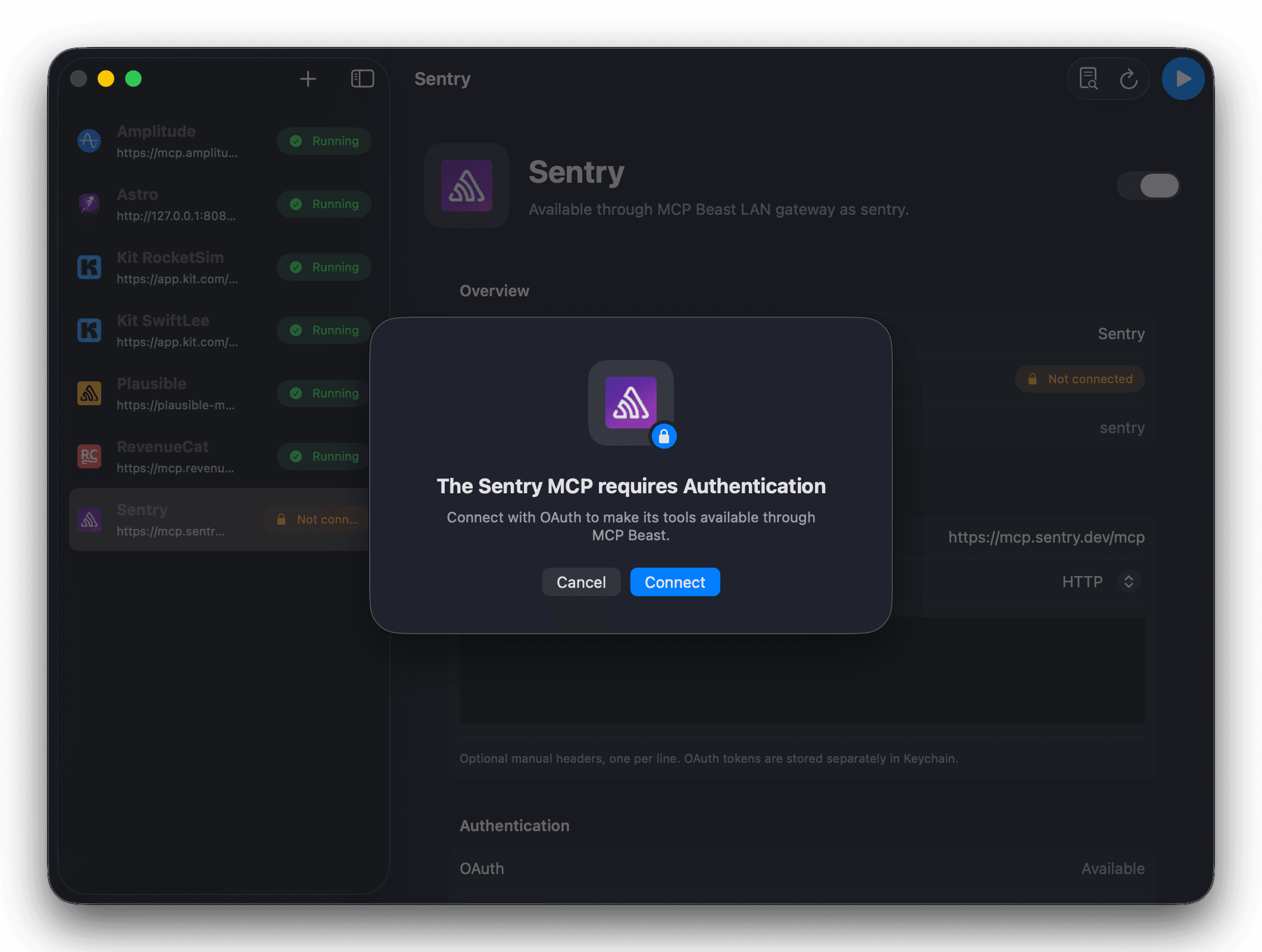
Authentication
Add remote endpoints, local commands, headers, and OAuth-backed servers from one Mac app. MCP Beast stores sensitive headers, OAuth tokens, and Remote Access tokens with Keychain-backed protection.
Take local MCPs anywhere
Astro (tryastro.app) runs its App Store Optimization research as a local MCP on your Mac. Turn on MCP Beast Remote Access and broadcast it through a secure outbound relay — so ChatGPT or Claude on your phone can pull keyword data while the server stays on your machine.
Astro · local MCP
ASO keyword research
Local endpoint: localhost:7331/mcp
Remote endpoint: mac.mcp-beast.ai
Auth: bearer tokens you can regenerate or disable.
Security & trust
AI clients talk to MCP Beast, not to raw API keys. Secrets live in the macOS Keychain, never copied into a single tool.
Everything runs locally until you explicitly turn on Remote Access. No account required to get started.
Switch any tool on or off, watch every call, and gate the risky ones — per client and per MCP.
Get started
Free on the Mac App Store. Install once, connect your MCPs, and give every AI tool one private endpoint with 95%+ fewer tool tokens.